MemDesk

Your board, your notes and your week, inside Gmail.

Every card is an email. Every note is a message in your own mailbox. Your calendar, with your tasks in it. No server, no database, nothing to sign up for.

Chrome on your computer · the Gmail app and a home‑screen app on Android

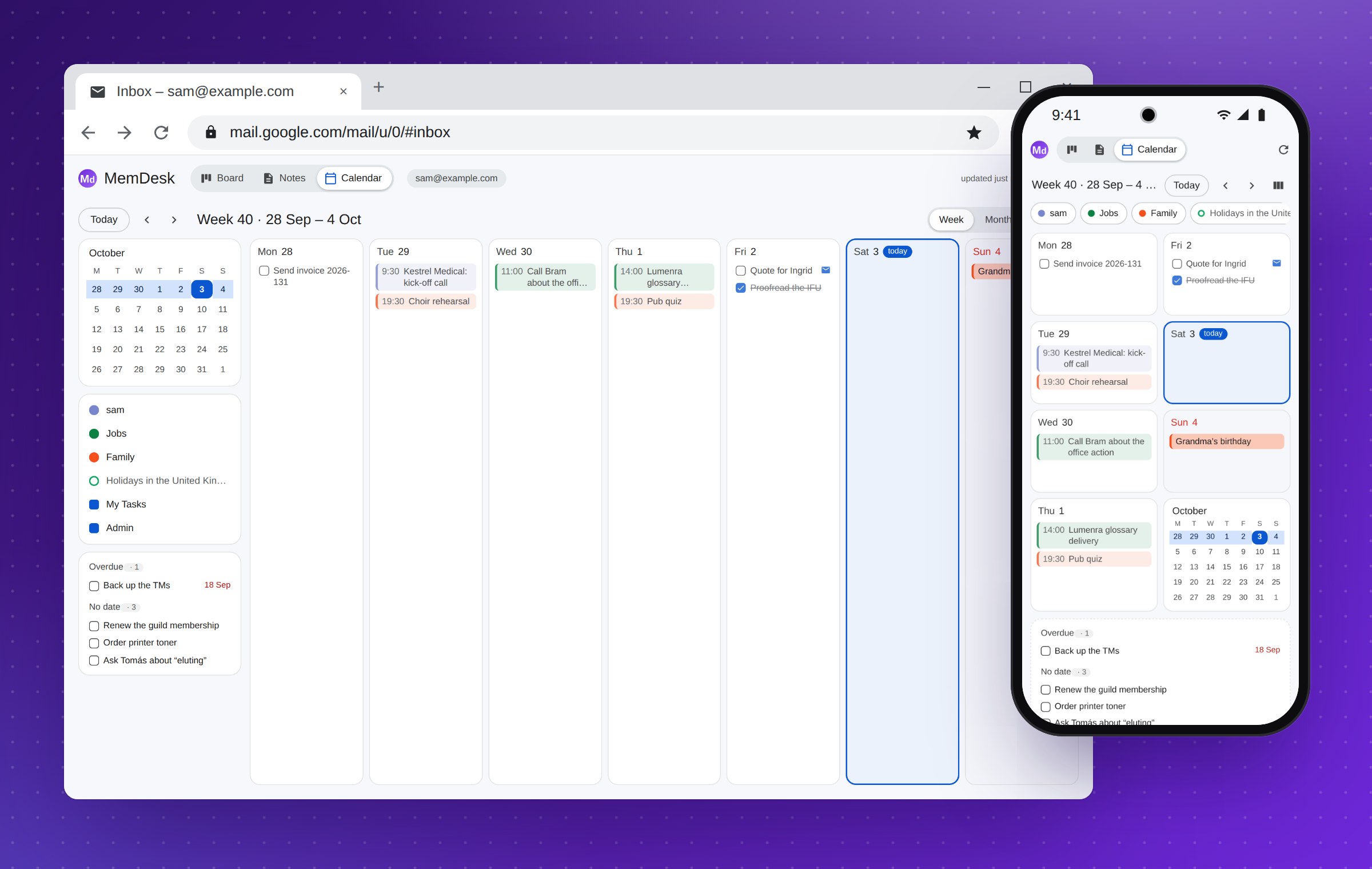
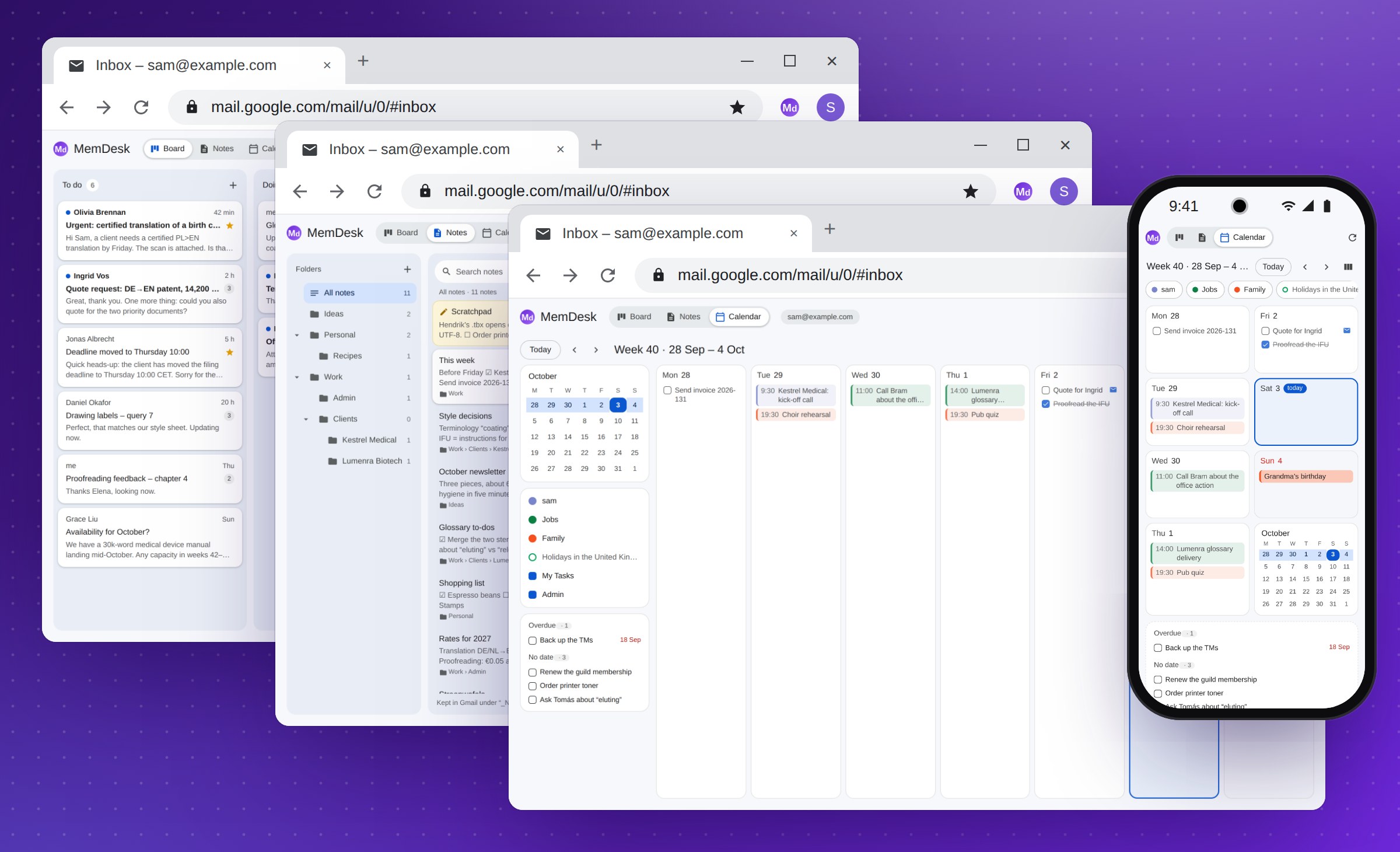
MemDesk in three Chrome windows - the board, the notes and the calendar - with the phone app's week in front of them
Board

A board made of your email

Columns are Gmail labels and cards are threads. Drag a card and its label moves with it; drop it on Done and it leaves the Inbox.

Give a card your own title, a note and a colour without touching the email itself. And while you read an email, one button at the bottom of Gmail files it in a column.
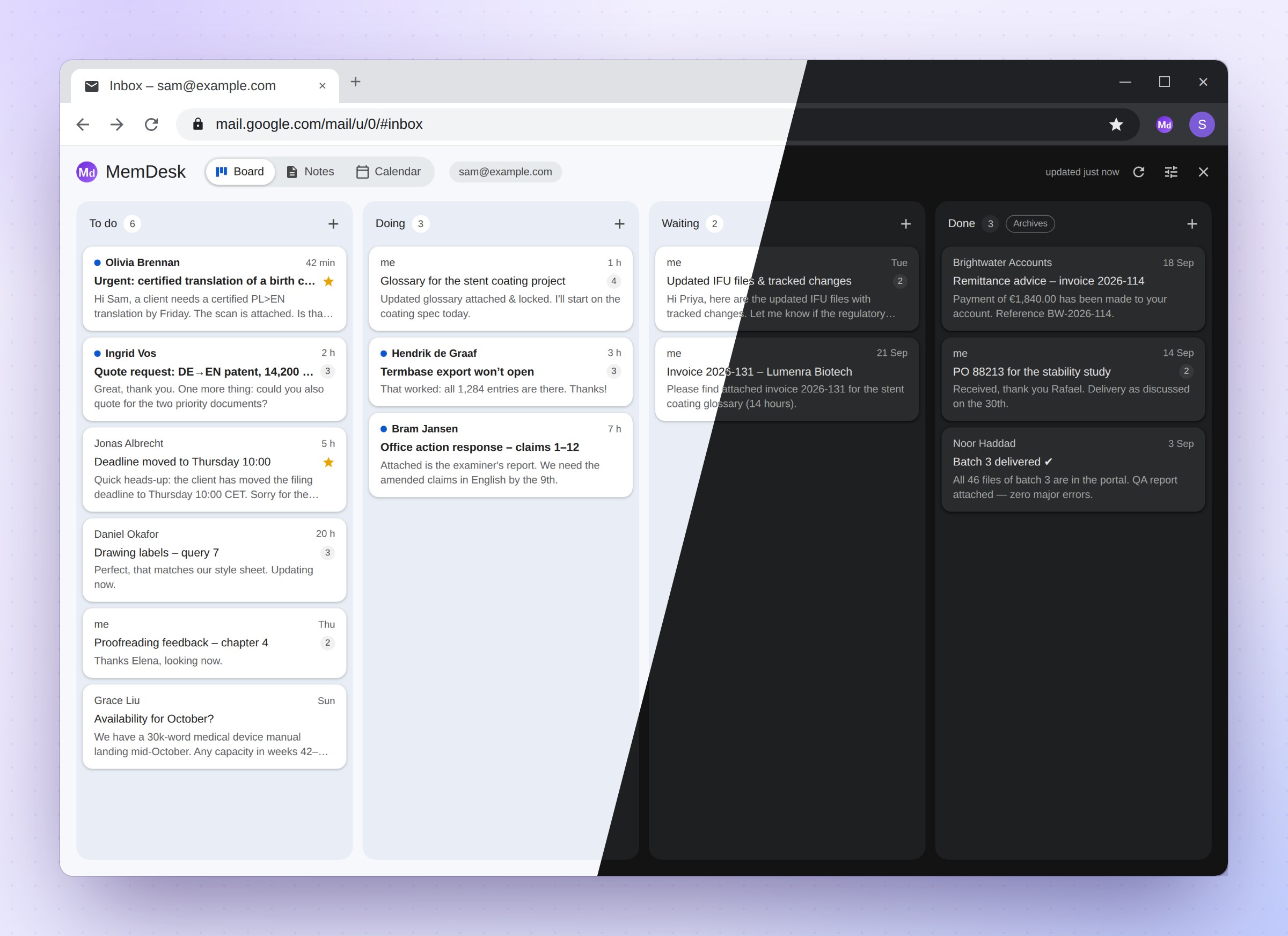
The board in Gmail: To do, Doing, Waiting and Done, half in light mode and half in dark
Notes

Notes that live in Gmail

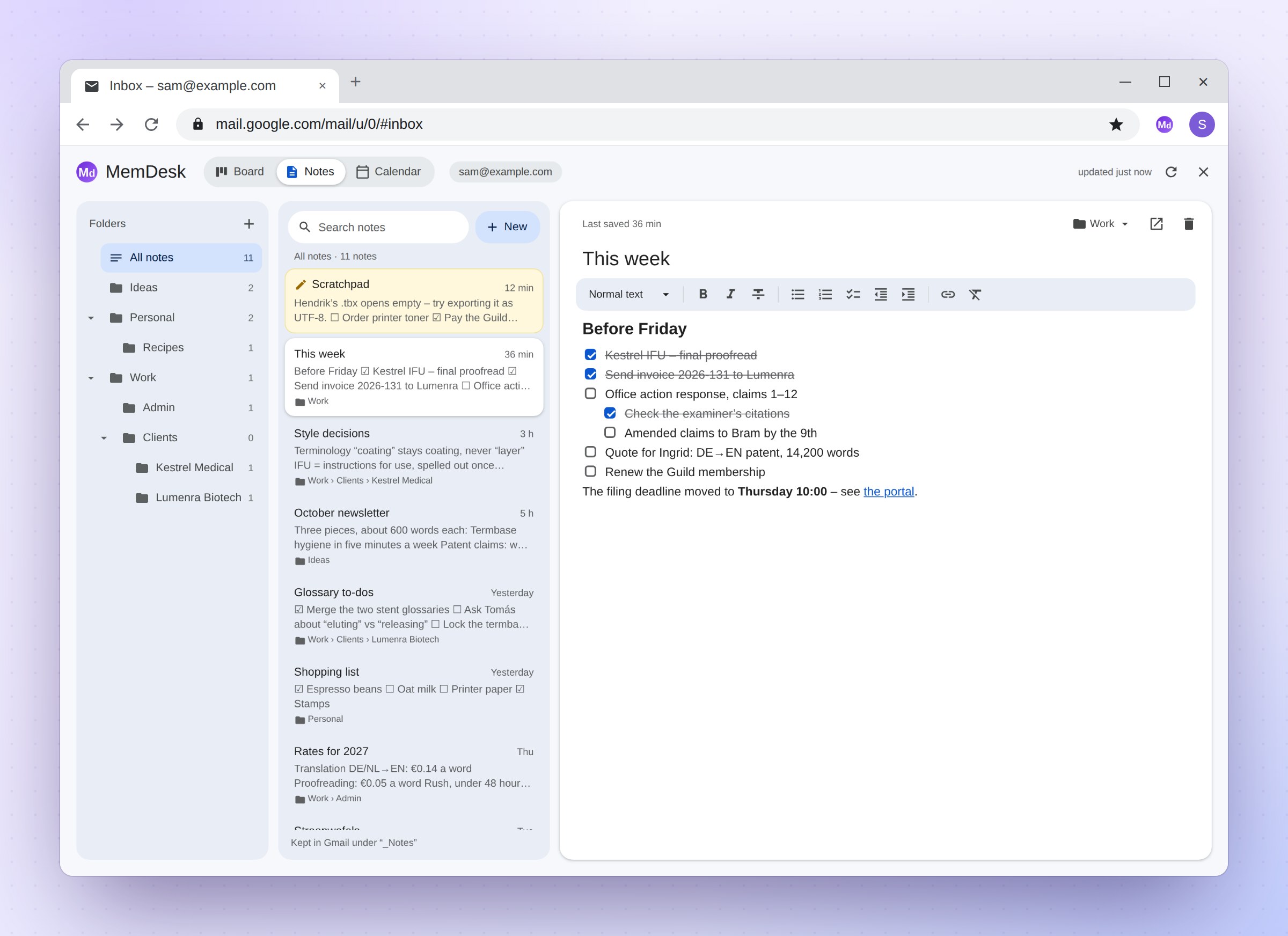
Headings, bold and italics, lists, checklists you tick, links, and tables you can sort. Notes save as you type, and a paste from Word, Excel, Google Docs, a web page or Markdown arrives formatted.

Folders nest as deep as you like. The Scratchpad is always open: one note for whatever needs writing down right now, the same on every computer and phone.

The notes: nested folders on the left, the list in the middle, a checklist note open on the right
Calendar

Your week, tasks and all

Your Google Calendar with Google Tasks woven into it: the week, the month, or the next four weeks as one list.

A task with a date sits in its day, ready to tick. The ones without a date, and any that are overdue, wait at the side. A task made from an email opens the email.

The calendar in Gmail: a week of events and tasks beside a small month, and on a phone the same week as two columns of days
Phone

And on your phone

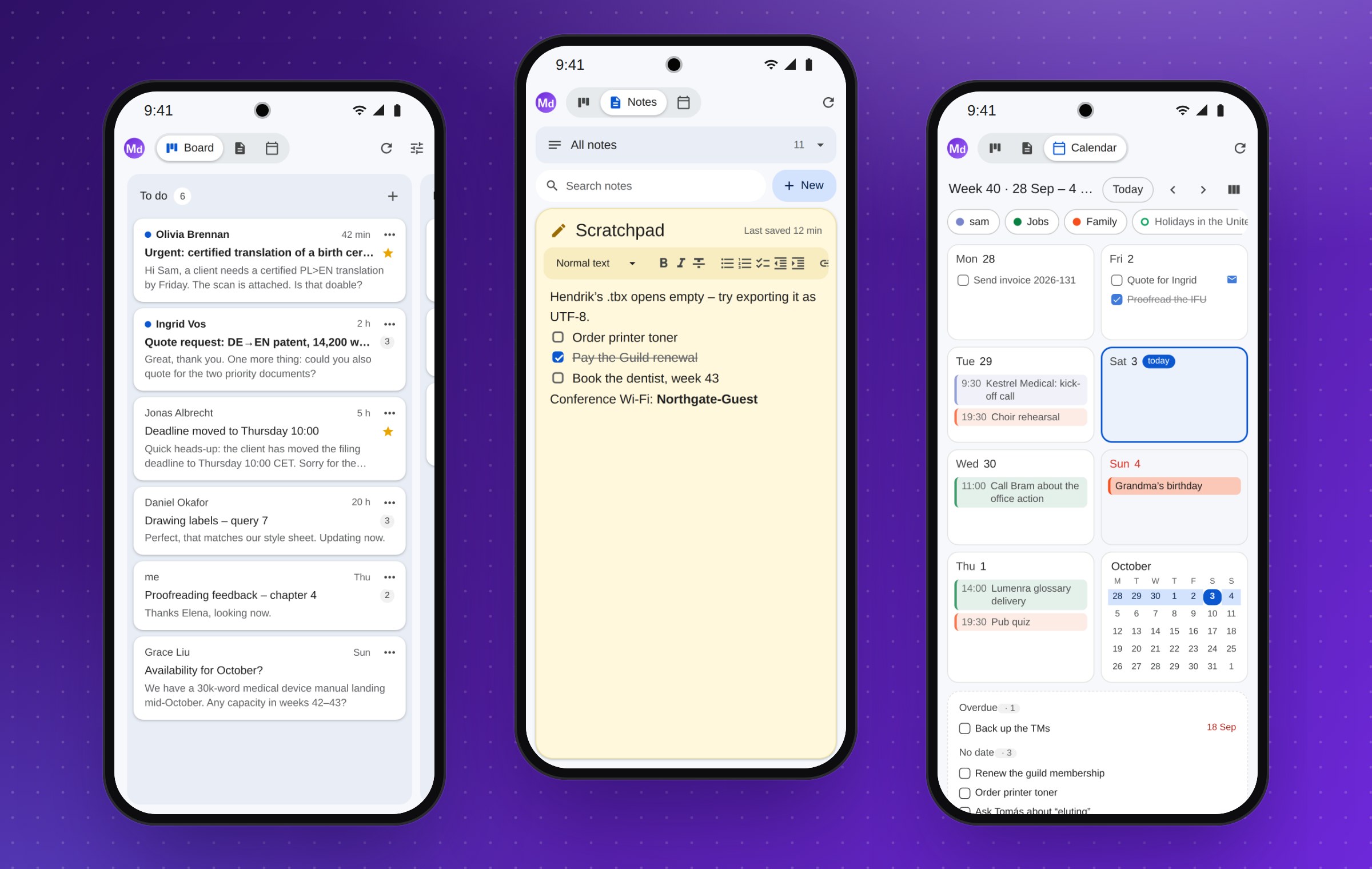
A home-screen app with the board, the notes and the calendar. The notes open straight onto your Scratchpad, ready to type, with the same editor, folders and search as in Chrome.

And a panel in the Gmail app files the open email on the board, ticks your checklists and adds to a note.

Three phones: the board, the Scratchpad, and the week as two columns of days

Yours alone

The board and the notes are views of your own mailbox, and the calendar of your own Google Calendar and Tasks. Nothing passes through anyone else.

No MemDesk serverIt talks only to Google, from your own browser or your own Apps Script.
Nothing to sign up forNo account, no database, no analytics, no tracking.
Never sends mailAnd never deletes anything for good: only its own notes go to Trash.
Calendar read-onlyIt reads your events and tasks to show them, and cannot change them.

Read the privacy policy

Get MemDesk

MemDesk is not in the Chrome Web Store yet. Until it is, you can set it up yourself from GitHub: about ten minutes, once, with pictures of every step.

Did someone send you a link to their copy? Then you only need the short install guide.